Ransomware cheap DLC

Filed under: business, gratuitous space battles cliffski 10:07 pm July 28, 2010

I was looking at a certain games portals ‘new releases’ list recently and saw tons of tiny bits of DLC for under 3 dollars. Very cheap. I assume that this stuff makes money, or at least breaks even.

It got me thinking about the possibility of similar priced DLC for GSB. I’m not especially keen to do any more fully fledged expansion packs. I did three, and you’d be surprised how much work is involved in adding new weapon types and modules. The game is hugely involved now. The weapons for the order took ages to balance. The swarm was easier, but they still took a while.

Right now, I’m 100% dedicated to the GSB campaign game, which is horribly complex to code (yet pretty simple to play, it’s not galciv or anything like it). As a result, I’m not about to make any new module types or other gameplay-affecting stuff.

But then… is there a market for just new ships hulls? Either more hulls for the existing races, or maybe another new race, but one with no specific new tech. Just new visual shiny basically. Would people be interested? To do a whole new race costs a lot in artist time (and some cliff-time for the damage textures)., but if I could find a way to make it break-even, I’d do it. I love designing the ideas for new ships. It’s mostly artist work, so I can keep working on the campaign.

Has anyone ever run, partaken in, or seen a ransomware model working? The idea is that people pledge money (and actually hand it over, it’s not just a promise) to a third party. When that amount reaches $X, the product is produced, and released (presumably for free?) and the developer gets the money. Kind of like donations, but with a target.  If the limit isn’t reached, I assume the people get their money back. I hear people talk about this idea, but I’ve never seen it happen. have you?

The marketing / production tradeoff

Filed under: business cliffski 5:32 pm July 27, 2010

There is a tradeoff evry developer is making when it comes to spending money. You either spend it on the product, or marketing and promoting the product.

Now the romantically inclined might suggest that the best thing to do is just make the best possible game you can (100% product) and then the product will ’sell itself’. Word of mouth news of your awesome game will do the work of the ad-men, and you will sell games by the bucketload.

The cynically inclined might suggest that the best thing to do is to market the hell out of your game. It doesn’t matter if the product istelf is a bit rough, because if 20,000,000 people get to hear about it, then you are bound to find enough of them who are bored enough to hand over the cash.

Obviously sanity lies somewhere in the middle. Finding out exactly where it lies, is not easy. To make a rational decision requires you to be able to measure the difference each dollar you spend actually makes. Clearly that is not easy.

With improvements to a games quality, you can sometimes tell that (for example) version 1.23 has a 22% higher conversion rate from the demo than version 1.22. This is assuming you have a clever enough order process to track that, are sure people aren’t trying an old, mirrored demo download and so on. Even then, this is completely useless, because it only works on the demo. Maybe version 1.23 full version is so awesome it encourages 18.34% more of your buyers to refer a friend to the game? Maybe screenshots from version 1.23 got featured on a website whereas 1.22 would not have, thus pulling in more eyeballs etc…

You might assume that it’s an easier thing to measure how effective marketing and promotion are. To a point this is true. I can tell you the CPC, CTR CPM and other boring acronyms for all my ads. I can plot very accurately the curve of CPC rising as total ad spend also climbs, and the  sales/ad spend is also very easily measured. Google Analytics even shows you the ROI for each individual site where your banner was shown. However, this leaves out an absolute ton of variables. Maybe someone saw an ad on their work PC, then bought it later on theirs (not tracked). Maybe someone saw an ad, told a friend, and the friend bought it (not tracked) and so on…

And that’s only for directly net-connected stuff like ad buys. I ran a competition where I gave away a hideously expensive plastic spaceship model. Did that get me any PR? any sales? any good word-of-mouth? VERY hard to tell. I spend quite a bit of time replying to emails from journalists, and seeking out websites to promote the game. Is the return on investment there better than coding? Who can tell…

For me, sopending money on ads is quite an easy decision, because there is only one of me. Doubling my ad spend doesn’t require any more of my (overstrecthed) time at all. So I’m not having to do a weigh-up of time on marketing vs time on the game. it’s much harder to weigh up anything that takes actual time away from coding. There is still the decision as to weighing up money spent on contractors (art, web design, sound) vs money spent on ads. And then of course there is the tradeoff between employing an artist (product) vs employing a PR guy (marketing).

Personally, I’m wary of actually employing PR people. I’m a one man company. The ‘brand’ ’story’ and ‘image’ of Positech games is just me. It would feel silly to have someone try and ‘re-brand’ me. That’s a level of corporateness which I don’t want to get into.

…of course, if I’m really good at PR, then I already employ a person to do all this, and he is the one typing this blog post. Cliff’s busy coding, as always

..or is he?

Digital Distribution Wars

Filed under: business cliffski 3:58 pm July 24, 2010

Disclaimer: I sell my games on all these portals, and am happy with them as a business.

So NPD think they have a list of the top 5 online games sales portals, but GamersGate and Impulse cry foul. Ok, fair enough.

With gamersgate, I can see why they are in the position they are in. They were late to the party, didn’t have a killer-app that people wanted to buy, had an abortive attempt with a client they abandoned… so maybe they have had a tough ride. They seem to be doing well though, no doubt tons better than lil old me.

Impulse is another story. I am surprised they haven’t been much more aggressive. I tend to assume they are the #2 seller, after steam. The interesting thing with Impulse is that stardock make money from Object Desktop, and presumably lots more  from games like GalCiv and SOASE, demigod etc. They literally do not need the profits from Impulse at all. So, assuming that, here is what I don’t get:

Why doesn’t stardock run impulse at a loss? Maybe only a small loss, but a loss nonetheless. Give developers 95% share of the royalties (totally crushing any other offer), or maybe 80% but 95% if its impulse-exclusive for 6 months.  Do not take a penny in profit for the next 2-3 years.  Maybe instead of cutting the royalty split, just discount the games big-time like steam are doing. Or maybe buy out the rights to some games entirely to make them 100% impulse-exclusive forever.

The prize at the end of this battle is market share. The web has 1 auction site, 1 book store, 1 video site and 1 social networking site. You know which ones I mean. It is close to having 1 PC games site, which is a license to print money. If I ran stardock, I’d sacrifice everything to fight for that slot. I’d probably run the whole business at a loss for those 2 years, taking every penny in profit from Object Desktop and throwing it at impulse to grab market share.

But….

The guy who runs stardock is a very clever guy. And no doubt rich. And no doubt he knows more about this than me, so I defer 100% to his greater knowledge of the issues.  Regardless of what happens, tragically they all do better than me. I’ll be under the table hoping for crumbs from whoever wins in the end :D

In unrelated news, if you like tower defence/defense games, then you might love revenge of the titans. I just added it to my site (it’s by a fellow indie). There is of course a free demo, and it’s 50% off right now. Give it a go, it’s excellent.

Shield Support Balancing

Filed under: game design, gratuitous space battles cliffski 8:12 pm July 22, 2010

GSB recently got a shield support beam. This was a groovy empire-frigate-only weapon which remotely boosted the shield power of friendly ships. It was criticised as being too powerful. Not surprisingly, people experimented with minimal cruiser fleets boosted by a huge swathe of support frigates using the beams for mutual reinforcement.

Surprisingly, this turns out to actually be super effective in comparison with filling those frigates with weapons and other useful stuff. I spent a while playing, and analyzing player challenges where it was claimed the SSB is just *too* good.

So I nerfed it badly to see what was needed to get the sweet spot for this new weapon. Serious nerfing of the transfer rate was tried. Then serious reductions in the amount that would be held in capacitors. Still, the SSB seemed awesome, in large numbers.

Then, eventually, I concluded that it was the mechanic, not the numbers that caused an imbalance. The SSB was being used regardless of the state of the target ship. It could be under intense plasma fire, and be ECM jammed, and still shake offf all attacks thanks to 6 or 8 SSBs boosting its shields. I wanted a single SSB to be worth having, but at any reasonable level, the combination of 8 then became a super-defence.

So my currejnt thinking (under testing now) is to nerf the SSB by reducing two key stats (beam rate to 20, recharge rate to 20), and also introducing three restrictions:

  1. The SSB can not be used to reinforce ships if the target ship is currently ECM jammed.
  2. Only a single SSB can be utilised on a target ship at any one point in time (although they could take turns).
  3. The SSB can only be targeted on cruisers.

I think this is the solution, but feedback is much sought. After all, I stupidly thought it as balanced already :D Ideas?

Server Downtime

Filed under: gratuitous space battles cliffski 7:52 am July 21, 2010

The GSB server, and my website will be down at some point tomorrow for about 30 minutes as physical server moves take place. You can still play GSB then, but not download or upload challenges, rate them or anything similar. The forums will also be offline for that period.

Unavoidable really, unelss you use fancy cloud stuff, and although amazon and google are gerat, I like hosting companies that answer the phone when things go bad. Google aren’t big on that.

Campaign AI stuff

Filed under: game design, gratuitous space battles cliffski 10:46 am July 20, 2010

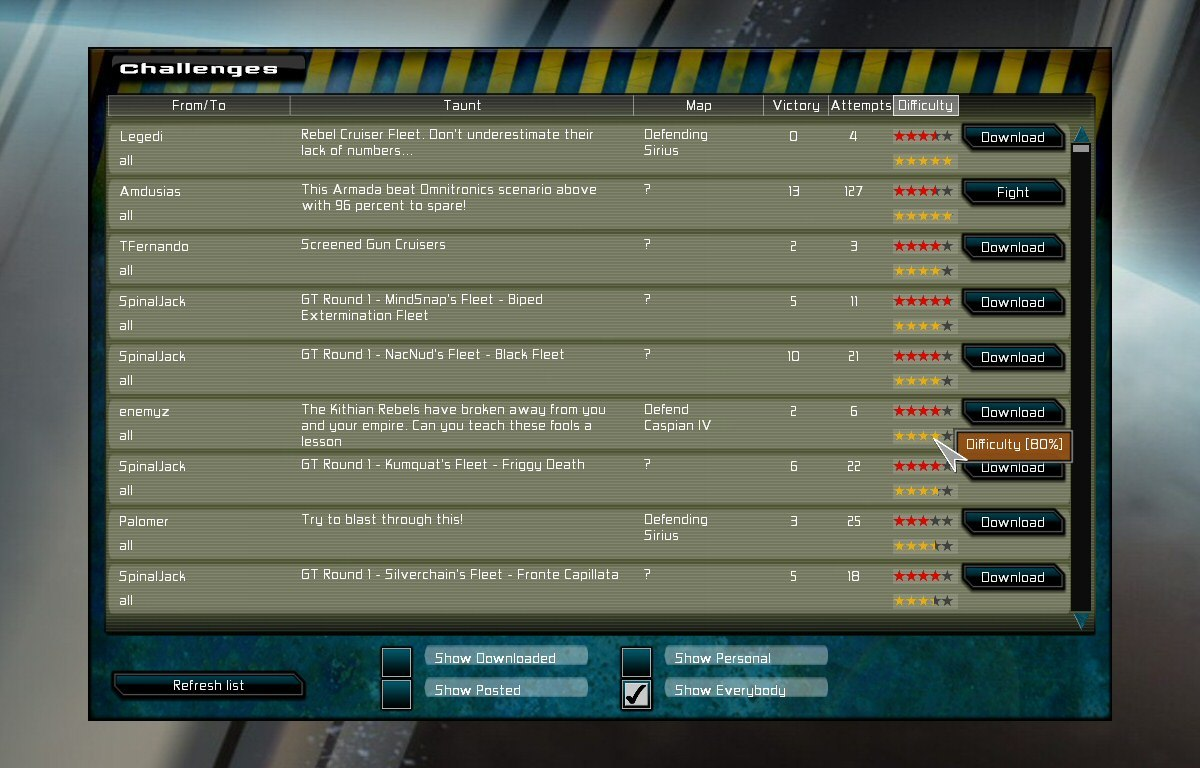
I am working on the various chunks of code that determine the strength of AI opponents in the GSB campaign game (currently being developed). The game takes existing challenge fleets, as well as other players campaign-fleets to use as the enemy, in massively-singleplayer style. However, it needs to select an appropriate fleet, in terms of strength, to fight against you, either as a defending fleet when you attack, or an attack on one of your systems.

The simplest method is just to assign a fleet size value to each planet, and let that be the strength there. Simple, but dumb, because nothing prevents the player sitting back and building up a larger fleet. A refinement would be to gradually ramp up a scalar for the enemy fleet sizes over the game, but that would mean it could spiral into insane difficulty, and doesn’t allow for different skill levels.

A system I’m working on is a ‘reactive-arms-race’ style approach. The nearby enemy worlds have their fixed starting values of fleet strength. When battle is joined, the Ai will start to build up larger fleets in nearby systems when it loses, and not bother if it wins. There will be some lag here, to represent building times.

The idea is that once you think you have a slight fleet-size advantage, you need to get all expansionist and start conquering, before the enemy realsies how mighty your fleets are, and builds it’s own countermeasures. If you just sit back and build up, the enemy will be doing the same. I may introduce an additional ‘anti-turtling’ scalar that starts ramping the enemy fleets up even faster if you have gone a long period without expanding your empire.

All this takes ages to code and test, and you never notice it’s effects on the surface. It is important to get this stuff right though (more important than adding more shiny or features) because it’s what drives long term playability.

Known unknowns

Filed under: Uncategorized cliffski 7:14 pm July 17, 2010

Lots of people mocked Rumsfeld for his classic ‘known unknowns’ and ‘things we don’t know we don’t know’ speech. It was an easy target, but it’s also an interesting topic. Although in theory, the older I get, the more I know, in fact I think the older I get, the more I know I don’t know.

My politics changed a lot between ages 18-30. When I was 18, like most 18 year olds, I could put the world to rights and know I was definitely correct. I was totally wrong, and I just didn’t know it. Now, I have different political views, but I know enough to know I’m not sure I’m right.

It’s not different with my job. Ok, I rant about me knowing more about customer interaction than big companies, and I’m pretty confident there, especially after this, but that whole episode just went to show that what I thought I knew about piracy (all pirates are cheapskates) was just wrong. It is very very difficult to change your views on a topic you feel strongly about. The chances are, everyone reading this has some views that are not based on their objective evaluation of the situation, but views they got from their parents, their friends, from TV, religion,  from an experience as a child, from irrational fear or emotion.

I used to be very anti-fox hunting. I was bought up that way, as a city dwelling son of trade unionists, and never questioned it. I knew nothing about fox hunting, or the countryside, it was just the de-facto position for me. I became less and less fussed about it over the years (It’s now banned in the UK, at least the fox-killing aspect is). Very shortly after moving to the country, I actually saw (for the first time ever)  a bunch of people on a hunt (I think they just go through the motions now), and it is quite a spectacle. I can see why people feel its part of their culture, community and history. It gave me a different perspective, and one I really lacked. I’m not neccesarily pro-hunting now, but I am at least aware that my teenage views on it were colored by my surroundings and not the facts. I now know what I don’t know. Experience has actually made me less certain.

Here is a scary admission. When I started working at Elixir, I didn’t know how to use a debugger. I’d heard of them, but never known how they worked. I was gobsmacked that you could step through code and look at variables. Holy crap that looked really cool. And I had already shipped 4 games at that point (yes, they were damned hard to make). I was suffering from that classic problem of unknown unknowns. It’s not that I didn’t know how to step through code, I didn’t even know it was an option.

I’m still learning how to code, learning how to run a business, how to design games , how to balance games. I always will be. And I wouldn’t have it any other way, it’s what keeps life interesting. Try to find out what it is you don’t know you don’t know :D

Epic opinions

Filed under: business cliffski 2:15 pm July 15, 2010

I’ve mulled over whether to say anything at all, but if you can’t say what you think about the games industry when you own your own company, when can you?

I was part of a panel yesterday at Develop, the games conference for developers in Brighton UK. I was speaking about ‘microstudios’ with Robin Lacey(Beatnik), Sean Murray(Hello Games) and Mark Morris(Introversion), all of whom are good guys. As a one-man outfit, I’m the real baby studio there, but at 13 years of experience, also the grandfather, so I guess that makes me middle aged. Anyway… all was cool, and there was much joking and mutual silliness. Apparently I am the Barry Manilow of game development, and a mug to spend £75 on jeans. And the topic then came up of how indies can respond directly to gamers on stuff like messageboards. Basically I started making the point, and mark was also agreeing about how someone can email you as an indie dev, and you can reply personally back to that potential customer, and hopefully, that way you have converted that guy to buying the game.

At this point, there was this derisive snort from this guy in the front row, who said something to the effect of ‘one guy? who cares, that’s a waste of time’. He then started to lecture us on how that’s a silly way to do it.  I’m 95% sure that all four of us on the panel thought ‘what the fuck?’ as well as ‘who is this guy’? compounded by Robin asking him if he worked in marketing.

Anyway… it turned out this guy was Mark Rein from Epic, although he seemed to assume everyone within earshot knew exactly who he was, and why he must obviously be right. I got the impression he was there to laugh at the little guys, or to just inform us how we are all wrong. Interestingly, it seemed there was someone from sports interactive (one time indies, as I recall) there, who seemed more on the indie wavelength than Mark. It would have been cool to chat with him.

So… I’ve given this a lot of thought, and weighed up the pros and cons of just putting this down to misinterpreting someone, and so on, and I have reached this conclusion.

Mark Rein is a jerk.

Now I suspect this is not groundbreaking news, although it is to me, because I’ve never met him or even seen him before. However, this experience seems to confirm my opinions on Epic and companies like them in general. Now Mark may well look down on humble indies like me. He may well think I’m doing it wrong. he may laugh when me and Mark discuss the pitiful money our companies make, and giggle at the fact that we reply to gamers on a one-on-one basis… But fuck him. I would rather earn minimum wage making indie strategy games for the PC, as my own boss, with an original game, satisfying a hardcore niche of friendly customers (the one-thousand-true-fans-philosophy), without a publisher telling me what to do, and without having to leave my house to go to work, without having to do ‘crunch time’ (because, dude… its like so macho to work until 3AM and never see your family)… Than I would work at epic for megabucks. The sheer overwhelming stench of testosterone would probably give me a headcahe, combined with the dizzy excitement of exactly what shade of grey our next game’s space-marine would wear as he kicked alien butt. (I feel bad working on Gratuitous Space Battles for almost 2 years, but it seems like that old ‘wisecracking space marine with big muscles and chisel-jaw’ idea has been stretched out longer than the hundred years war).

I have absolutely no doubt mark would just naturally assume me feeling like that is jealousy, which, as anyone who knows me personally would testify, is just fucking funny. I really don’t care about Epic, and their games, as they are way way too macho and ‘dude’ for my liking, and don’t have demos, so I just assume they haven’t changed since Unreal Tournament. I try not to comment on games I don’t like, as each to their own tastes etc.  The only reason I’m moved to give a damn enough to state my opinion, is that I resent having some triple-a studio jerk come and tell someone whose run a microstudio for thirteen years that he is doing it all wrong. If Mark from introversion suggests I’m doing it wrong, thats cool, he does what I do, and has some serious experience, ditto anyone on that panel, or anyone with long indie experience. And I listen carefully, often over lunch.

But Triple-A studio bosses trying to lecture me on how to communicate better with gamers? Fuck off.

Cliff Harris (cliff@positech.co.uk)

When adsense isn’t worth it

Filed under: business cliffski 7:31 pm July 11, 2010

I was reading an article on a games blog recently, and noticed our ever-present strobing friend, the ‘evony’ ad.* Apart from the ubiquity of the ad, and my lack of interest in ’saving my queen’, what I really noticed was the prescence of a google ad on such a low traffic blog.

I can see how a lot of people would think it makes sense for people to stick small google adsense (or similar) ads on their blog, or maybe even their indie developers website to ‘bring in some cash’. I think it’s a bad idea. (I am selling stuff too, and need money, but ads on a site can be a step too far. My games are here, feel free to buy one to support my blog, I won’t mind :D )

There is a tradeoff happening here. You are basically giving up a bit of your creation (in this case, screen-space on your website) in return for some revenue. I think a lot of people get the calculations dead wrong.

Does your site get 10,000 page-views a month? That’s a ‘not bad’ amount of traffic for someone who is actively trying to build a web business (although positech gets more :D ). If all of those 10k impressions result in an ad view, then that’s 10 CPM, as the hip-cats say online. How much is a CPM costing an advertiser?

I actually pay about £0.20 for a thousand impressions when I buy ads. So assuming you get that, and google takes 70%, you get £1.40 a month in ad revenue, or not enough to buy a coffee. If you are not based in the US, currency conversion swallows the first 6 months income.

Is it worth it? I reckon not. The point of my rant, is not to say that it isn’t worth it for people running those ads, it may well be worth it. You might get more than 70%, or a higher CPM, or way more traffic. But have you done the math? Is that banner ad on your website actually making any vague economic sense?  The big name popular, succesful and much loved games studios don’t stick an adsense banner on their site, and it just reminds people that you aren’t in the same league when you do it. If you can make the numbers make sense, then fine, but it really is worth checking the numbers.

* I know about adblock, but I tend to leave it off. Some websites really do run purely from ad revenue, and I’m happy to support that, unless it’s entirely overdone.

At last reaching code size issues

Filed under: programming cliffski 9:51 pm July 7, 2010

For indie games, my games are pretty big in code terms. By the standards of big triple A games, they are fairly simple. The problem with any game, is not really the lines of code as such, but the interconnections and complexities.

Now, if you have coded big systems for ages, you get used to writing very modular stuff. All my games are split into SIM and GUI classes, which in theory have very very little overlap. The problem is, that games of the sim/management genre become more and more intertwined between those two concepts. This means lots of unintended side-effects, and that often means more bugs. It also means a lot of possible permutations to test, and that invariably leads to more bugs.

In theory, I suspect the real answer to scaling up code is to go beyond merely thinking in a modular way, and to write totally distinct programs, or at least DLLs. Having a clearly defined interface between the Sim, the UI and the gameplay rules is very handy and if you actually stick the GUI in a separate project, it makes it easier to stick to that with real discipline. That also makes it easier to have people port your game, switch to a different graphics API, or mod the game. To be honest, I’m not as good at this stuff as I should be, and the campaign code for GSB is bringing that home. It’s been far too tempting for me to just stick a bunch of spaghetti into the GUI code for a dialog box that does some SIM stuff. I re-designed various code today to make it more organised, but I should probably do quite a bit more of it.

I wish I’d coded totally open AI that could have been scriptable, or at least existed as a DLL that modders could expand. Coding that sort of stuff is normally a full time job for someone for a year though, so you can imagine why I didn’t do it :D

Next Page »